Live, real-time layout
Your whole parking on a single plan, updated to the second. Per-zone occupancy, live events, instant alerts. No more notebook, no more blind spot.
LIVE LAYOUT · STACKED & TANDEM PARKING
ParkLiveMap shows the live layout of your stacked, tandem and in-line parking lots — vehicles, anomalies, upcoming departures — connected to your existing management software.
Live layout · Anti-blocking · Instant search
Anomaly detected
Spot 7 blocked by AB-123-CD — move before 2pm
BUILT FOR OPERATORS OF
THE PROBLEM
A vehicle needs to leave, it's trapped behind three others. Delays, stress, sometimes damage — and it happens every single day.
Teams running around with a notebook to find a vehicle. A misread plate, and it's a costly mistake.
How many free spots? Which departures are coming? Without real-time visibility, you're flying blind.
THE SOLUTION IN 3 PILLARS
Your whole parking on a single plan, updated to the second. Per-zone occupancy, live events, instant alerts. No more notebook, no more blind spot.
The engine cross-checks departure times and flags vehicles that block others. Preventive notifications, move suggestions before the guest arrives.
Type a plate, a name, a reference — the vehicle pulses on the plan and the walking route appears. Zero time wasted running around.
IN PRODUCTION
ParkLiveMap running on real sites. Live aerial layouts, anomalies surfacing per second, search to the millimeter — not a mockup, real production.
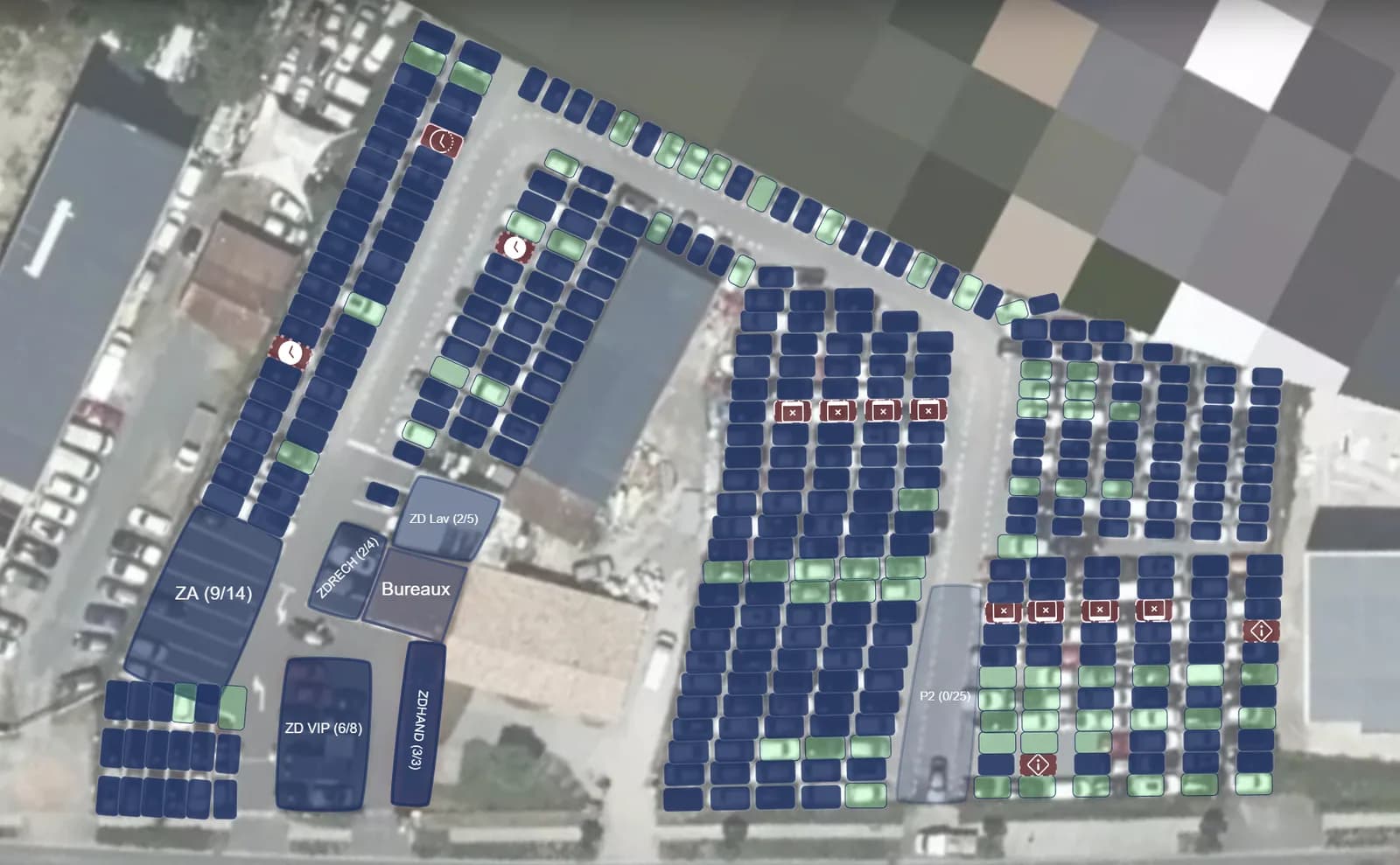
Three concrete examples: vehicles blocked by time, blocked by departure date, and empty spots that can't be reached. Automatic detection, move suggestion.
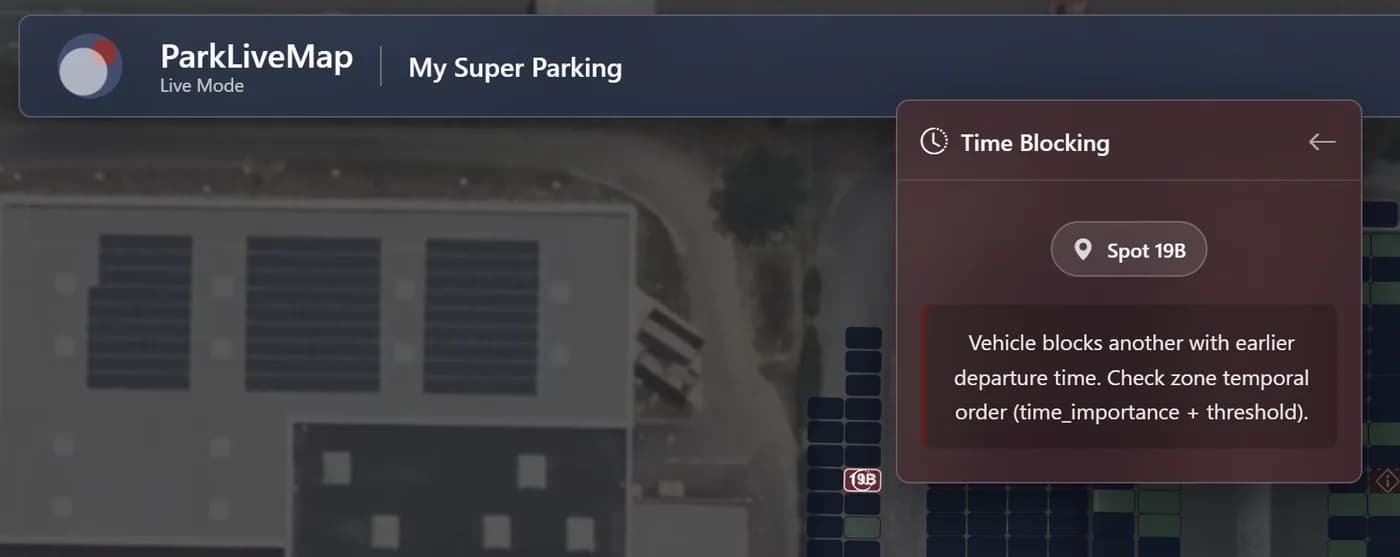
A vehicle due to leave soon is stuck behind another that departs later. ParkLiveMap cross-checks the zone's time order and alerts before it's too late.
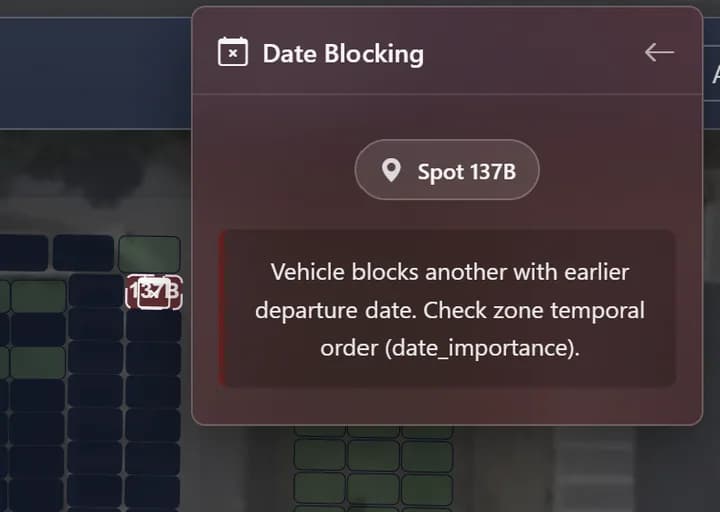
On long-term storage sites, the engine compares scheduled delivery dates. Preventive repositioning during quiet hours.
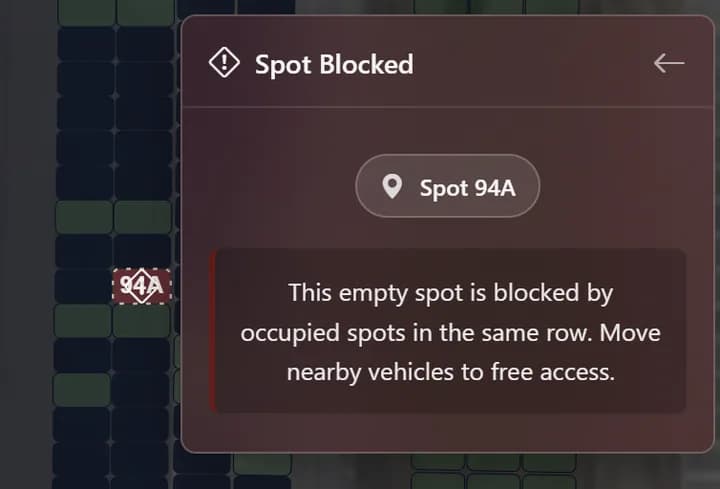
A free spot no one can reach: the neighbors are occupied. ParkLiveMap marks it as blocked and suggests a clearing plan.
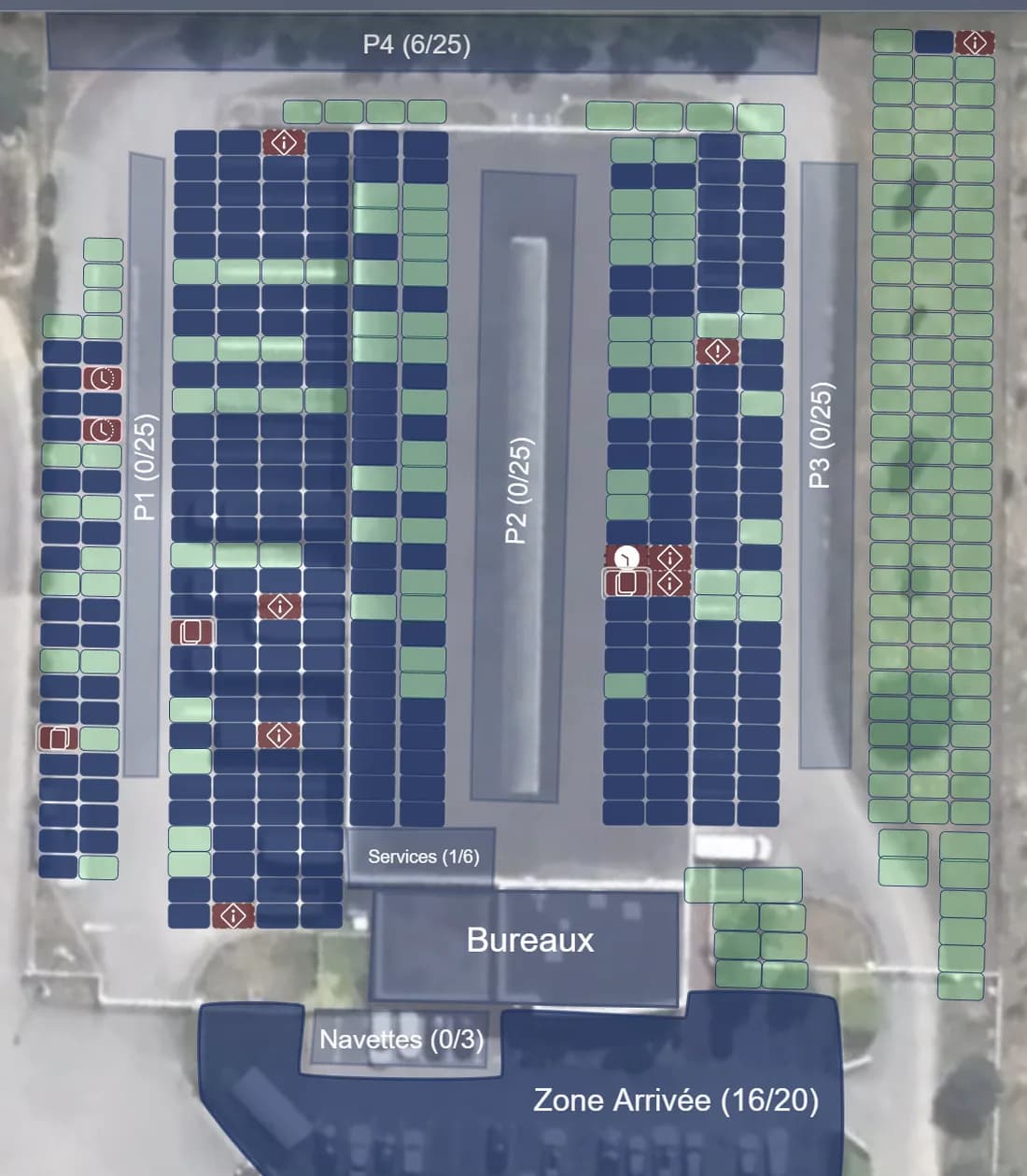
EXAMPLE · NANTES
Zones P1, P2, P3, P4, services, shuttles, arrival zone — each subset has its own occupancy counter. Managers see the entire site at a glance, no spreadsheet, no radio call.
HOW IT WORKS
ParkLiveMap plugs into your existing parking management software to pull vehicles, arrivals and departures. No double entry.
Drag & drop on satellite view: spots, zones, stacked lanes. A few minutes and your parking becomes interactive.
The layout shows occupancy, anomalies surface automatically, finding a vehicle takes three seconds.
USE CASES
READY TO SEE THE PRODUCT?
30 minutes, on your own parking layout. No strings attached.
Book my demo